
前言
国内的小伙伴们,在使用ubuntu的时候,有没有感觉安装软件进度条跑得很慢?如果有那大概率就是软件源的问题,ubuntu默认的软件源在国内下载比较缓慢,今天教你简单换源,用清华源快速下载软件!
注意:ubuntu24.04参考 ubuntu24.04特殊步骤 见后文!!!
换源
第一步:备份原有源配置文件
为了避免后续一些稀缺古怪的操作,导致文件损坏,所以我们先备份一下,后续如果需要换回也比较方便
sudo cp /etc/apt/sources.list /etc/apt/sources.list.backup第二步:编辑源配置文件
用 vim 或者 nano 或者 vi 等文本编辑器,打开 /etc/apt/sources.list 文件
sudo vim /etc/apt/sources.list第三步:换清华源
清空原文件所有内容,粘贴以下内容:
# 默认注释了源码镜像以提高 apt update 速度,如有需要可自行取消注释
deb https://mirrors.tuna.tsinghua.edu.cn/ubuntu/ focal main restricted universe multiverse
# deb-src https://mirrors.tuna.tsinghua.edu.cn/ubuntu/ focal main restricted universe multiverse
deb https://mirrors.tuna.tsinghua.edu.cn/ubuntu/ focal-updates main restricted universe multiverse
# deb-src https://mirrors.tuna.tsinghua.edu.cn/ubuntu/ focal-updates main restricted universe multiverse
deb https://mirrors.tuna.tsinghua.edu.cn/ubuntu/ focal-backports main restricted universe multiverse
# deb-src https://mirrors.tuna.tsinghua.edu.cn/ubuntu/ focal-backports main restricted universe multiverse
deb http://security.ubuntu.com/ubuntu focal-security main restricted universe multiverse
# deb-src http://security.ubuntu.com/ubuntu focal-security main restricted universe multiverse
这里需要将 focal 改为你的ubuntu版本代号,可以用这条命令查看
lsb_release -c比如ubuntu22.04的代号为 jammy ,就这么填写:
# 默认注释了源码镜像以提高 apt update 速度,如有需要可自行取消注释
deb https://mirrors.tuna.tsinghua.edu.cn/ubuntu/ jammy main restricted universe multiverse
# deb-src https://mirrors.tuna.tsinghua.edu.cn/ubuntu/ jammy main restricted universe multiverse
deb https://mirrors.tuna.tsinghua.edu.cn/ubuntu/ jammy-updates main restricted universe multiverse
# deb-src https://mirrors.tuna.tsinghua.edu.cn/ubuntu/ jammy-updates main restricted universe multiverse
deb https://mirrors.tuna.tsinghua.edu.cn/ubuntu/ jammy-backports main restricted universe multiverse
# deb-src https://mirrors.tuna.tsinghua.edu.cn/ubuntu/ jammy-backports main restricted universe multiverse
deb https://mirrors.tuna.tsinghua.edu.cn/ubuntu/ jammy-security main restricted universe multiverse
# deb-src https://mirrors.tuna.tsinghua.edu.cn/ubuntu/ jammy-security main restricted universe multiverse
第四步:更新软件包列表
保存并退出编辑器,执行下面2条命令:
sudo apt update
sudo apt upgrade
ubuntu24.04特殊步骤
因为ubuntu24.04源配置文件改为了 DEB822 格式,步骤也变成如下步骤:
备份原文件:
sudo cp /etc/apt/sources.list.d/ubuntu.sources /etc/apt/sources.list.d/ubuntu.sources.bak编辑文件:
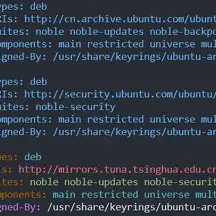
sudo vim /etc/apt/sources.list.d/ubuntu.sources填入如下内容:
Types: deb
URIs: https://mirrors.tuna.tsinghua.edu.cn/ubuntu
Suites: noble noble-updates noble-backports
Components: main restricted universe multiverse
Signed-By: /usr/share/keyrings/ubuntu-archive-keyring.gpg
# 安全更新建议保留官方源
Types: deb
URIs: http://security.ubuntu.com/ubuntu/
Suites: noble-security
Components: main restricted universe multiverse
Signed-By: /usr/share/keyrings/ubuntu-archive-keyring.gpg
保存并退出编辑器,更新软件包列表:
sudo apt update
sudo apt upgrade -y
恭喜你到这里就换源完成了!